Japan Money Express Wallet has launched an exciting new feature, enabling you to instantly transfer JPY from your bank account to your JME Wallet. This seamless integration, available directly through the “Load Money” section of the JME Wallet app, makes it easy to deposit funds whenever you need.
The service is powered by Bankey Inc. (Japan) and supports real-time transfers. To use this feature, simply register with the internet banking service of your bank and start transferring money directly to your JME Wallet. This feature is compatible with all banks across Japan, including major institutions like Mizuho Bank, Japan Post (Yucho) Bank, MUFJ Bank, and SMBC.
Start transferring with ease – your JME Wallet is just a click away!
Step 1:
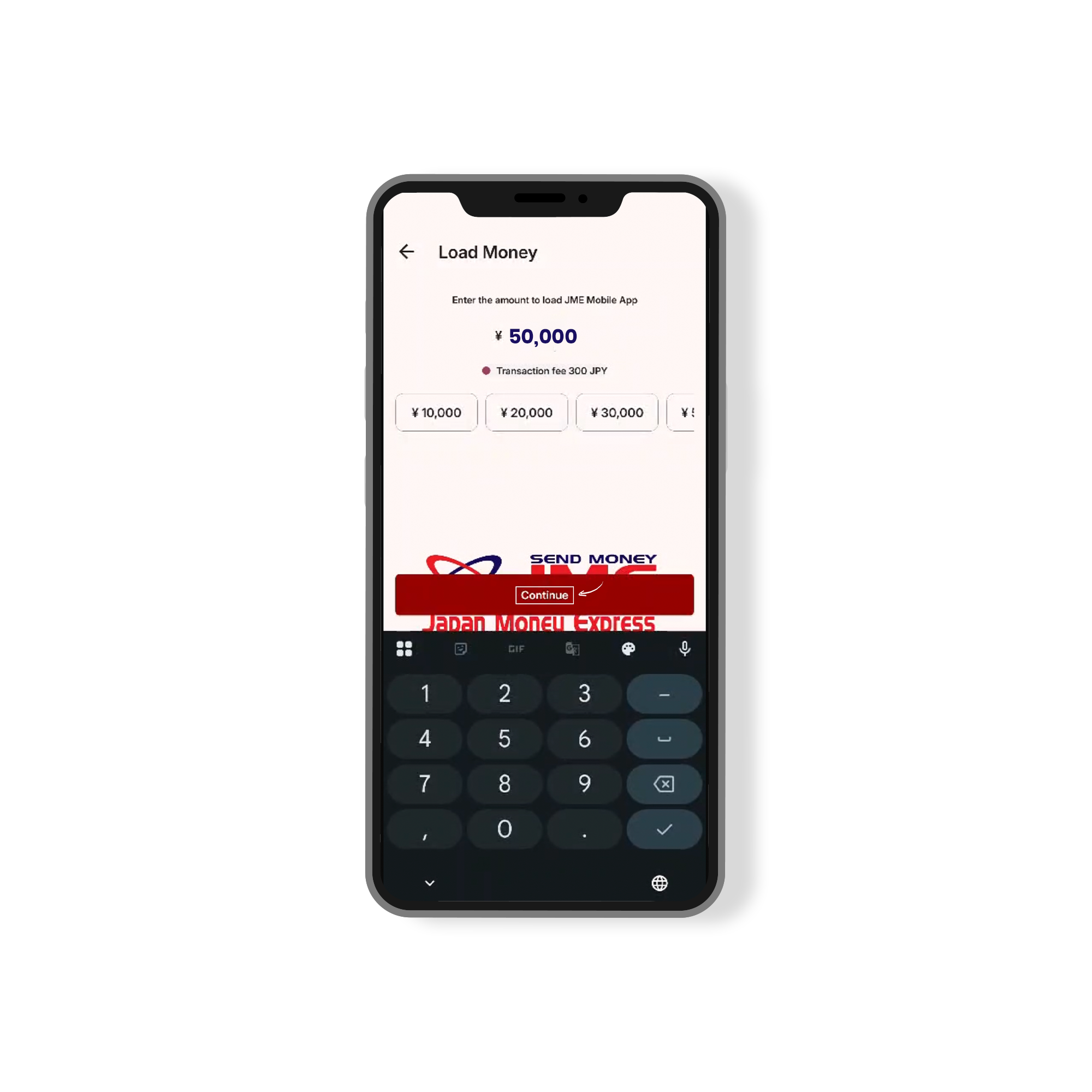
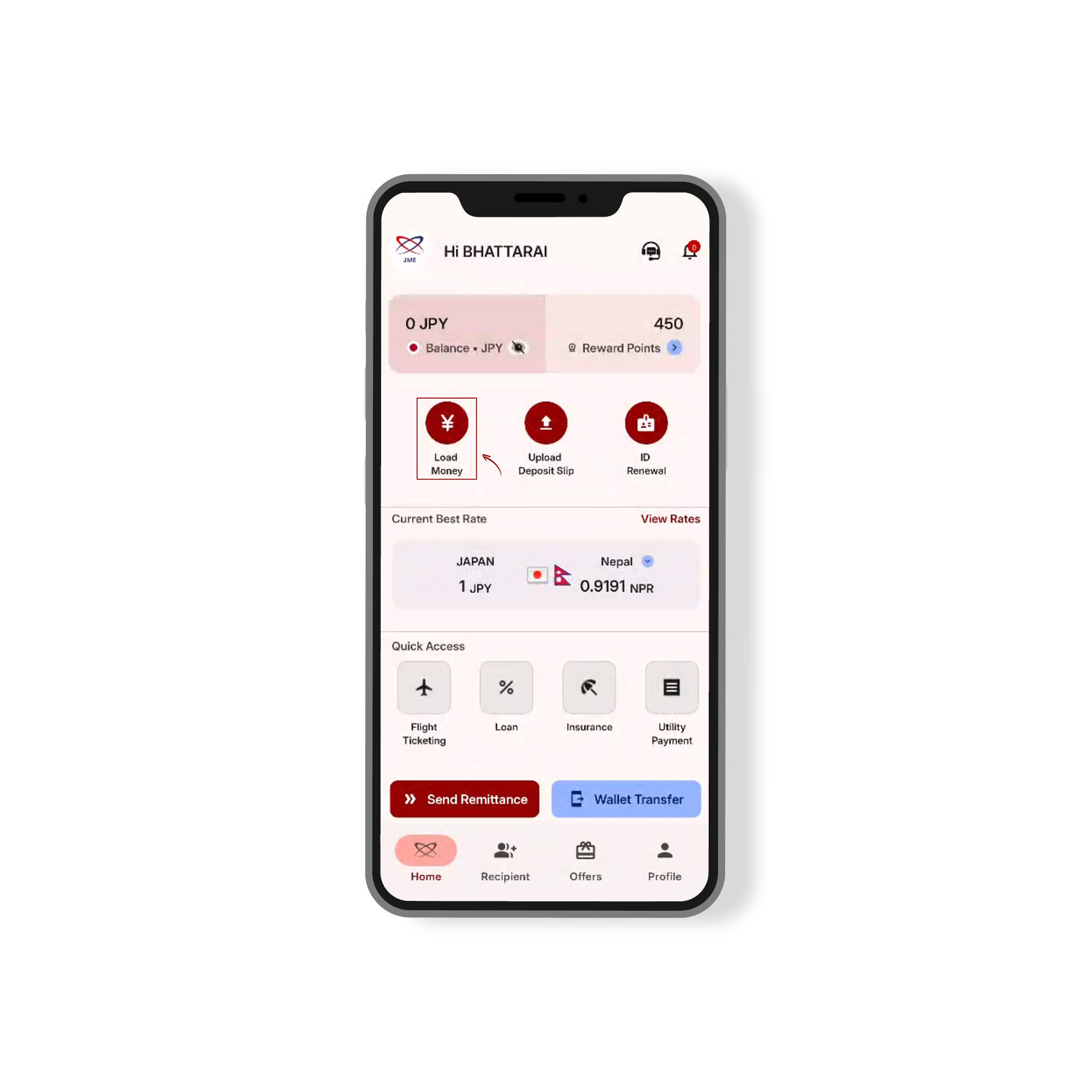
Tap “Load Money” from the JME home screen
Step 2:
Enter the amount to load and tap “Continue.”
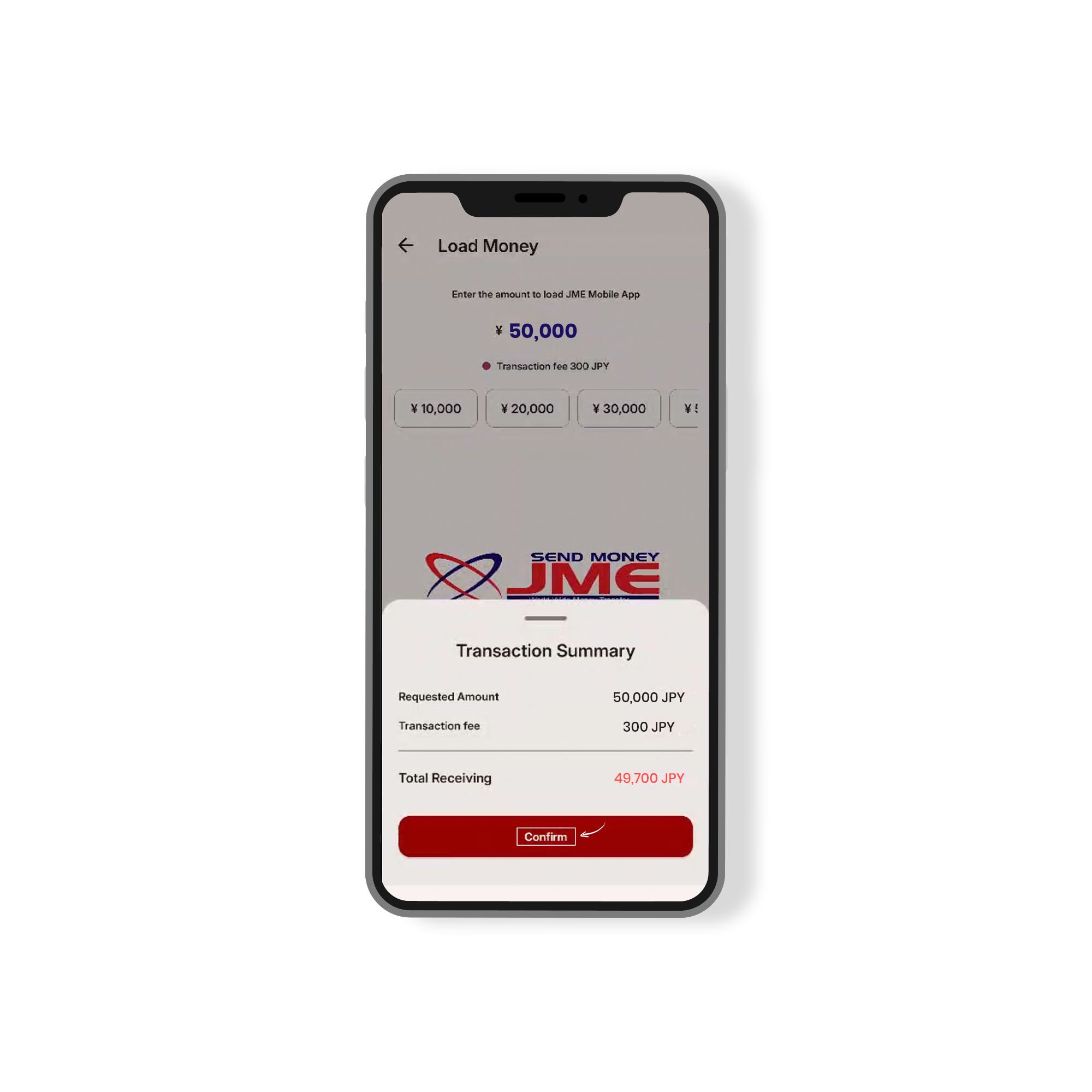
Step 3:
Review the transaction summary and tap “Confirm” to complete the load.
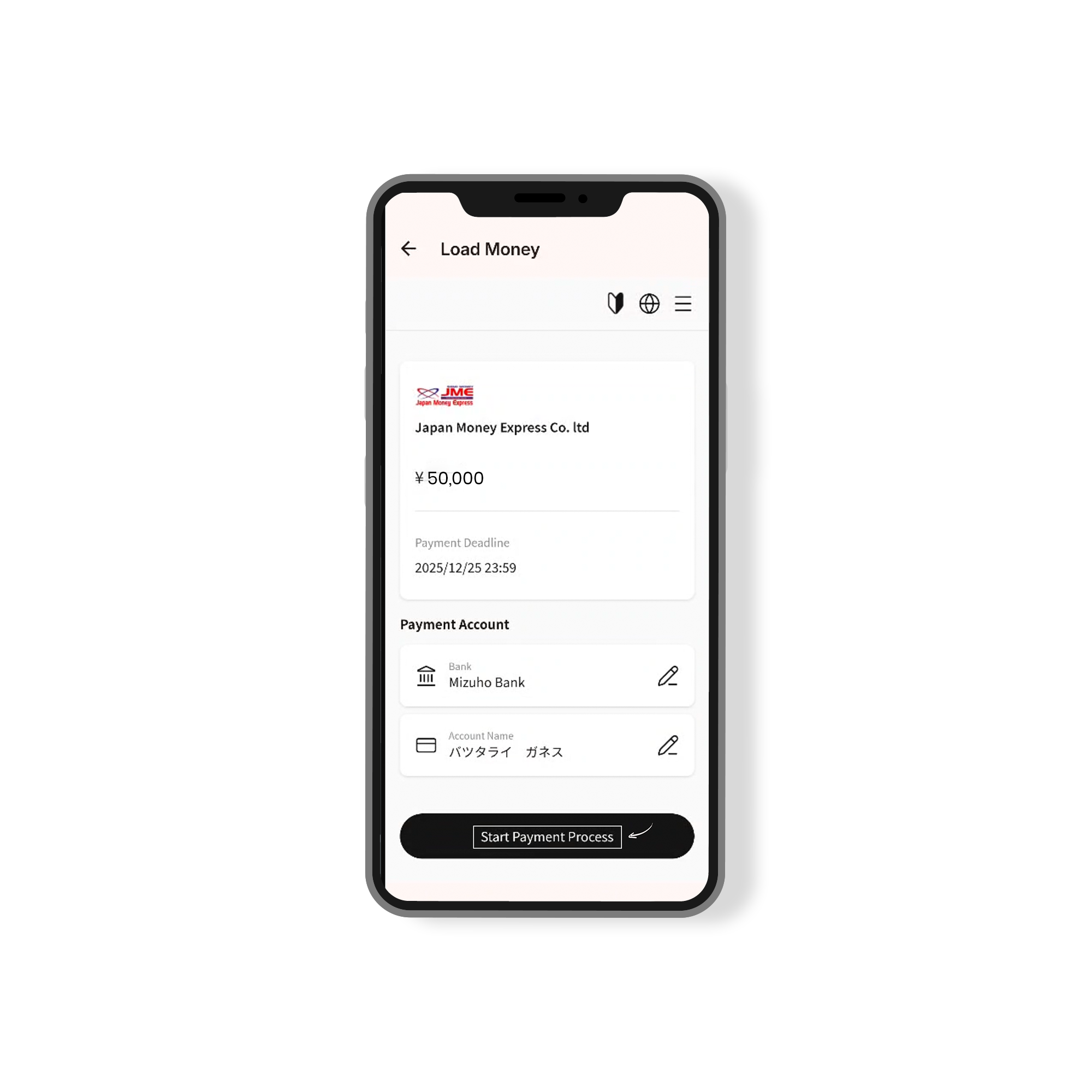
Step 4:
Review your payment details and Mizuho Bank account info before continuing.
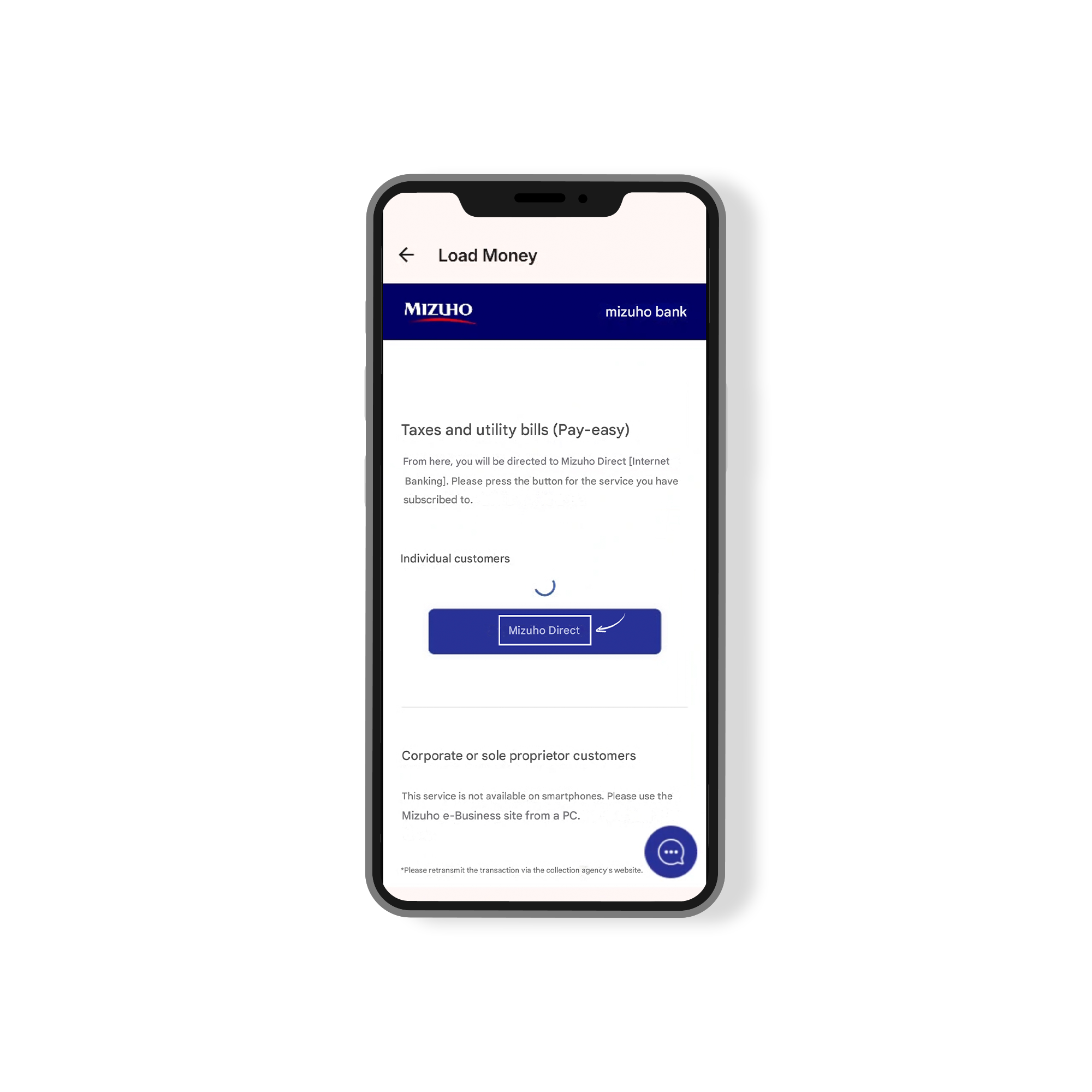
Step 5:
Click to access Mizuho Direct for payment management.
Step 6:
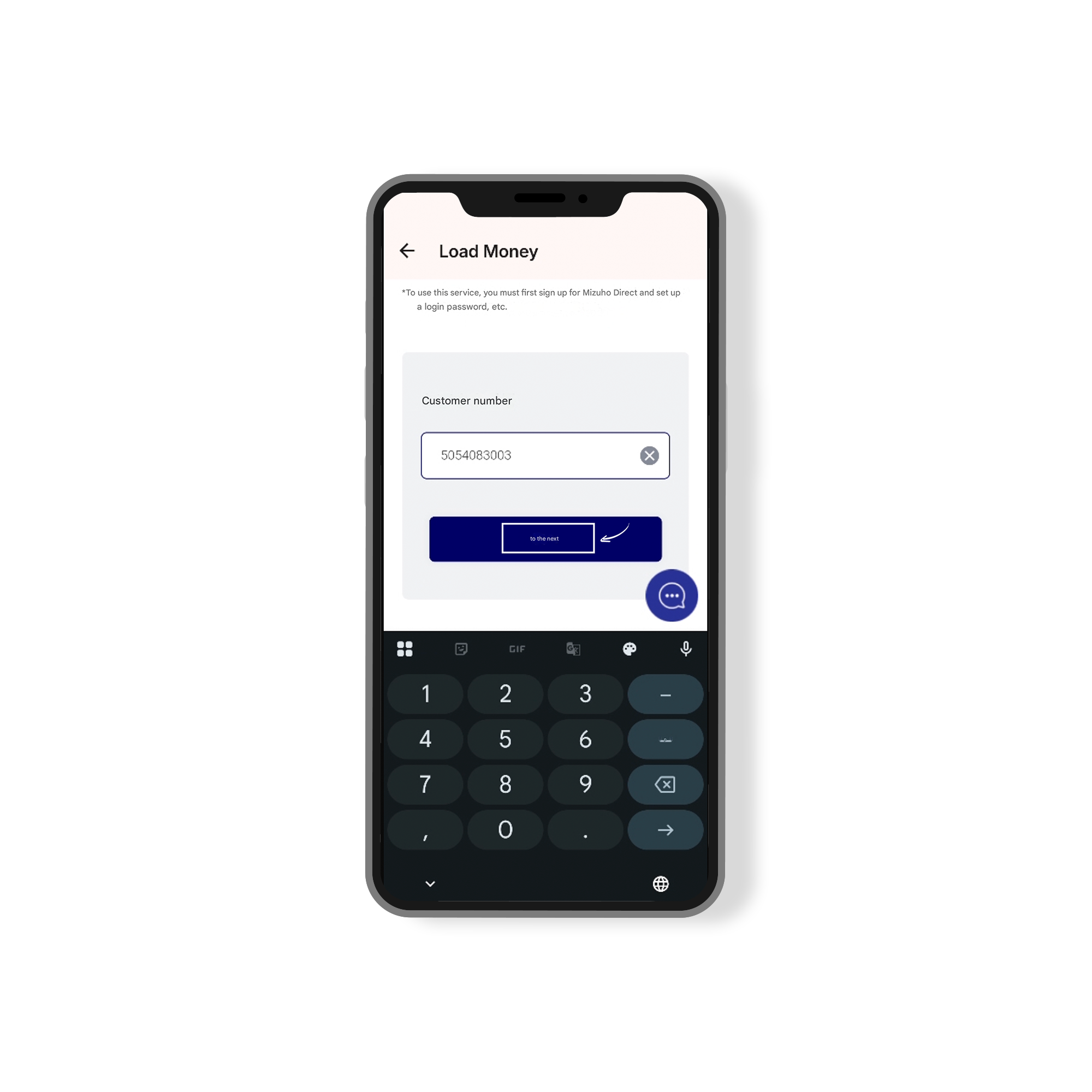
Input your customer number to proceed. Sign up for Mizuho Direct if you haven’t already.
Step 7:
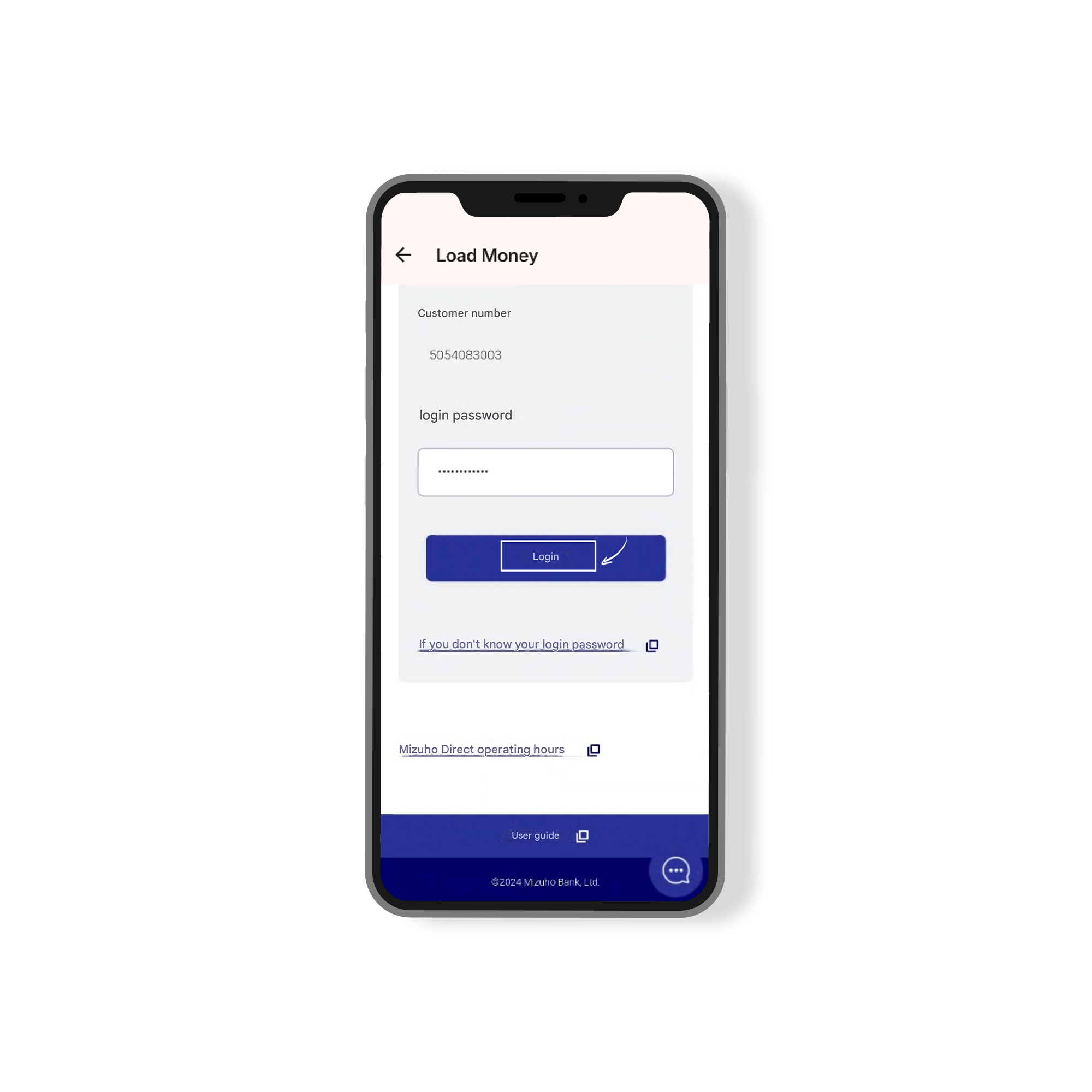
Enter your customer number and login password to proceed with the transaction.
Step 8:
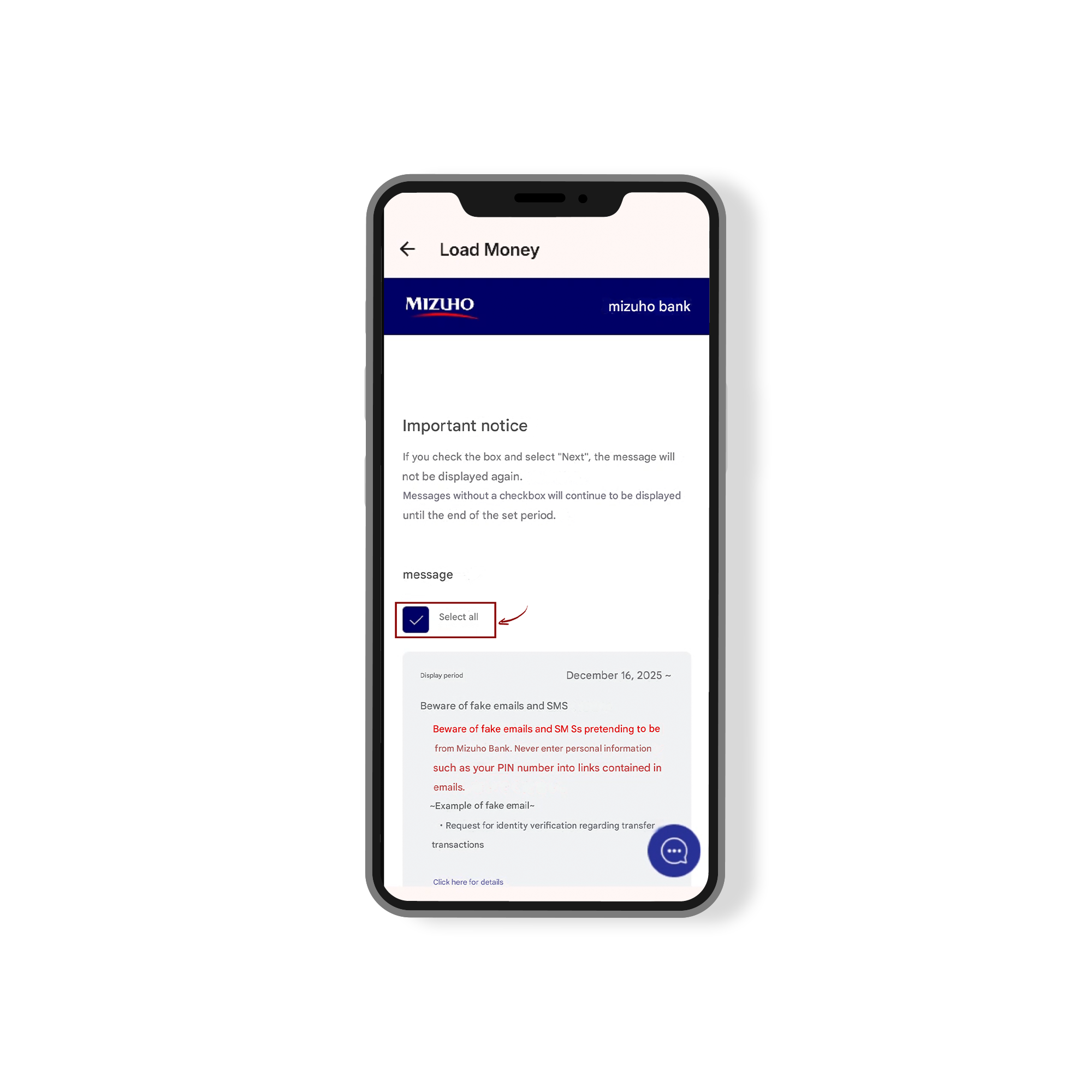
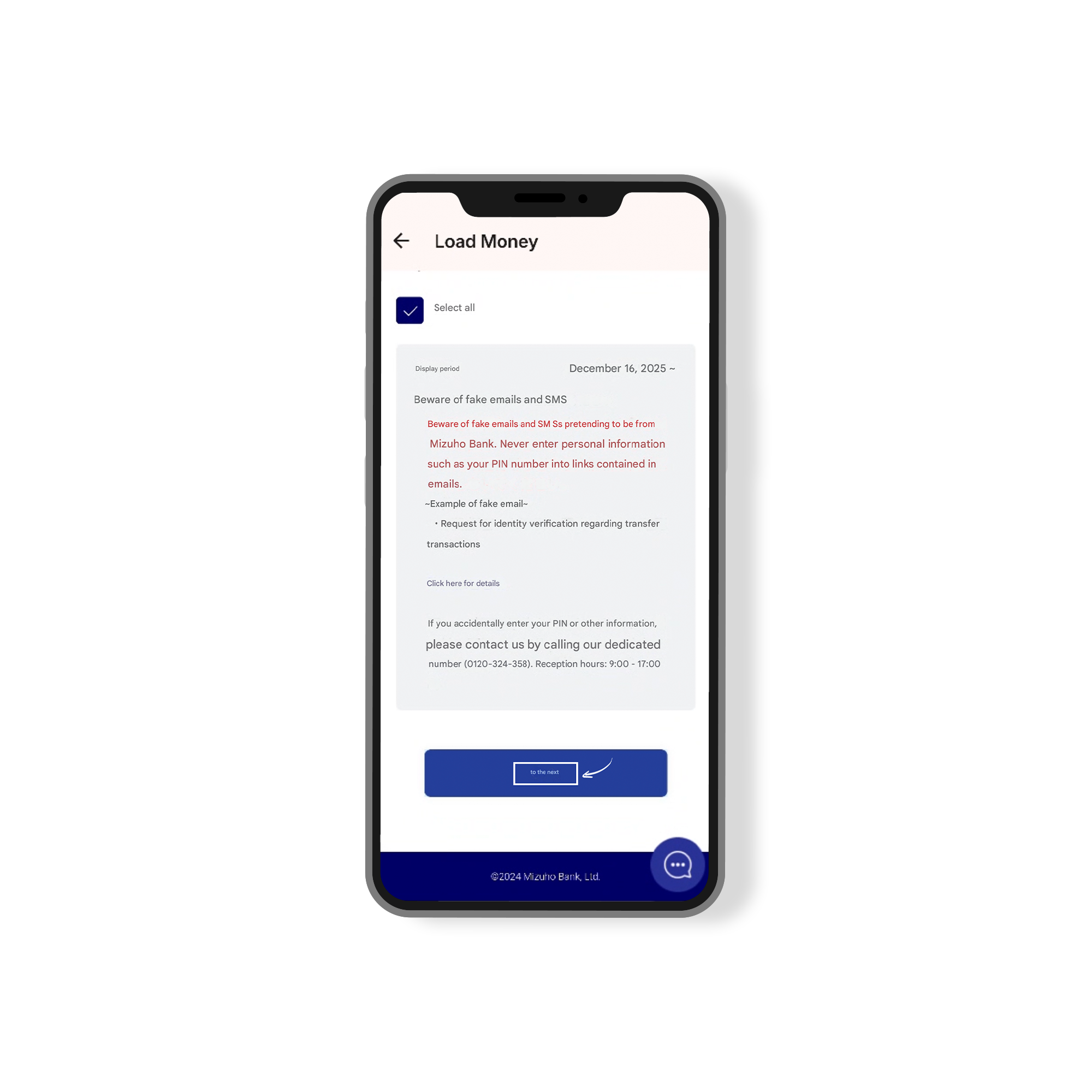
Read and acknowledge the important message by checking the box. Select “Select all” to proceed.
Step9:
Verify your payment details and withdrawal account before proceeding. Select “Next” to continue with the transaction.
Step 10:
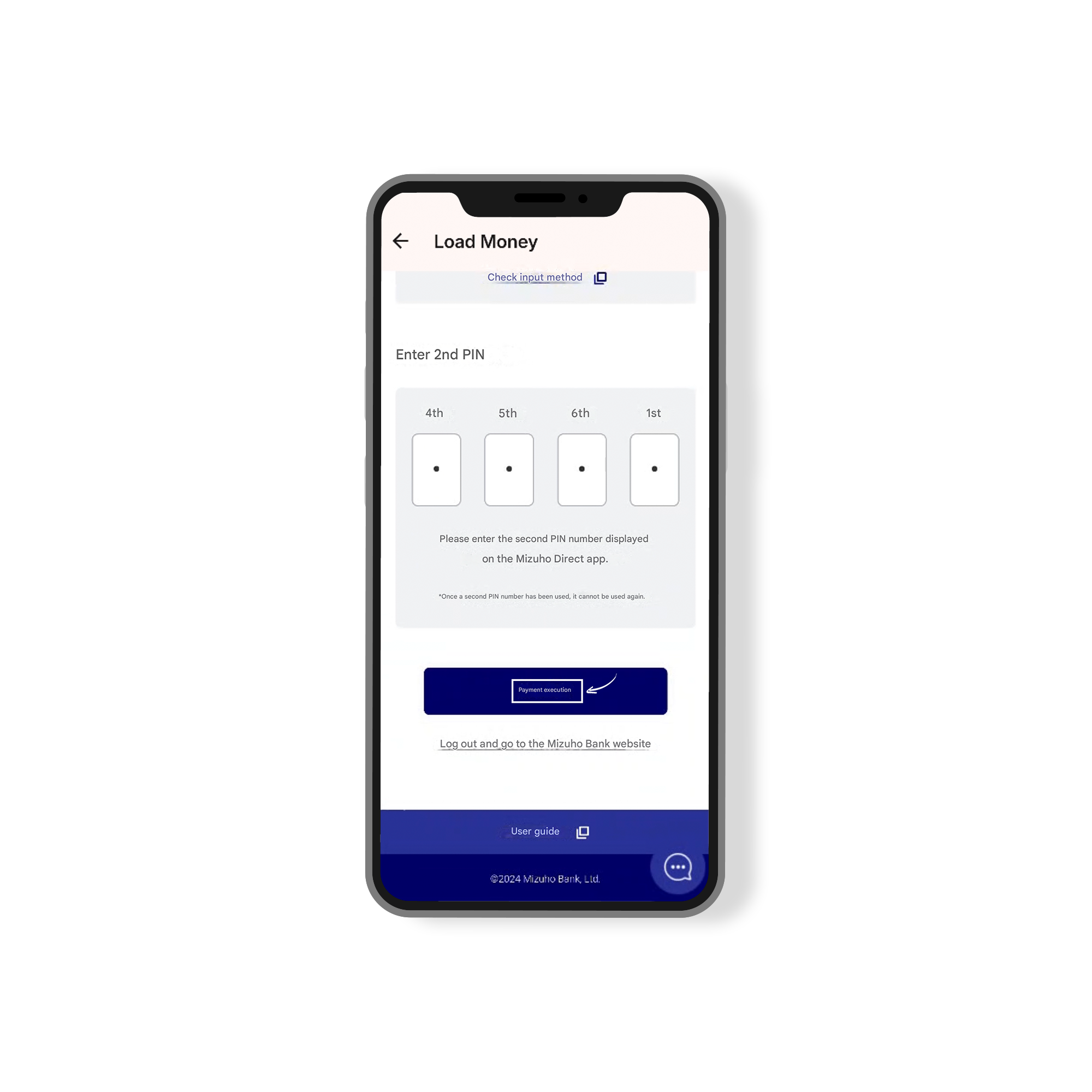
Enter the second PIN displayed on the Mizuho Direct app and tap “Payment Execution.
Step 11:
Be cautious of fraudulent emails or SMS pretending to be from Mizuho Bank. Never enter personal details, such as your PIN number, into links from unknown sources.
Step 12:
Campaign Period: November 16, 2025 – January 31, 2026
During this campaign, use the “Pay-easy Tax and Fee Payment Service” for a transaction of 500 yen or more to enter a draw and win a 10,000 yen gift!
Step 13:
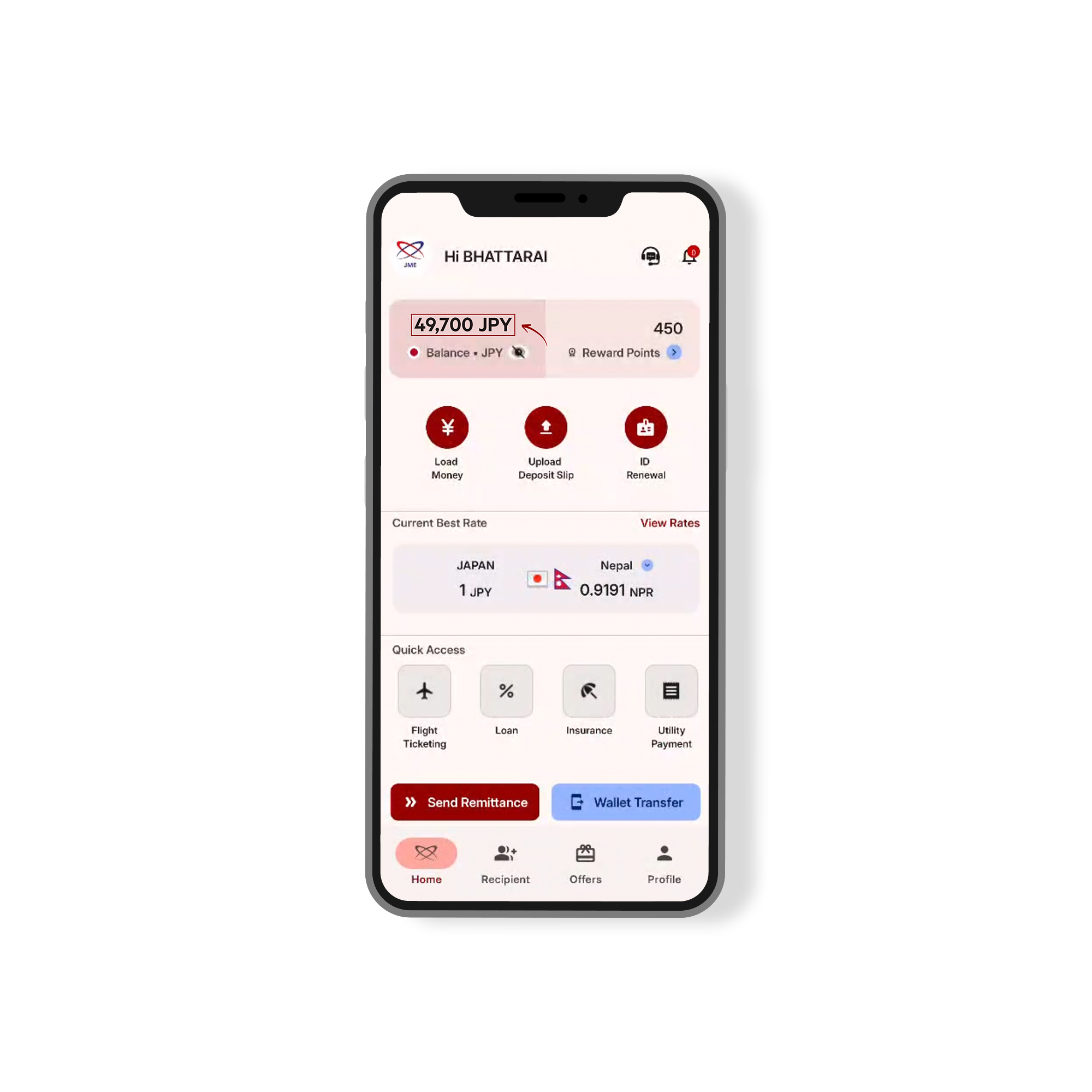
Successfully loaded 49,700 JPY